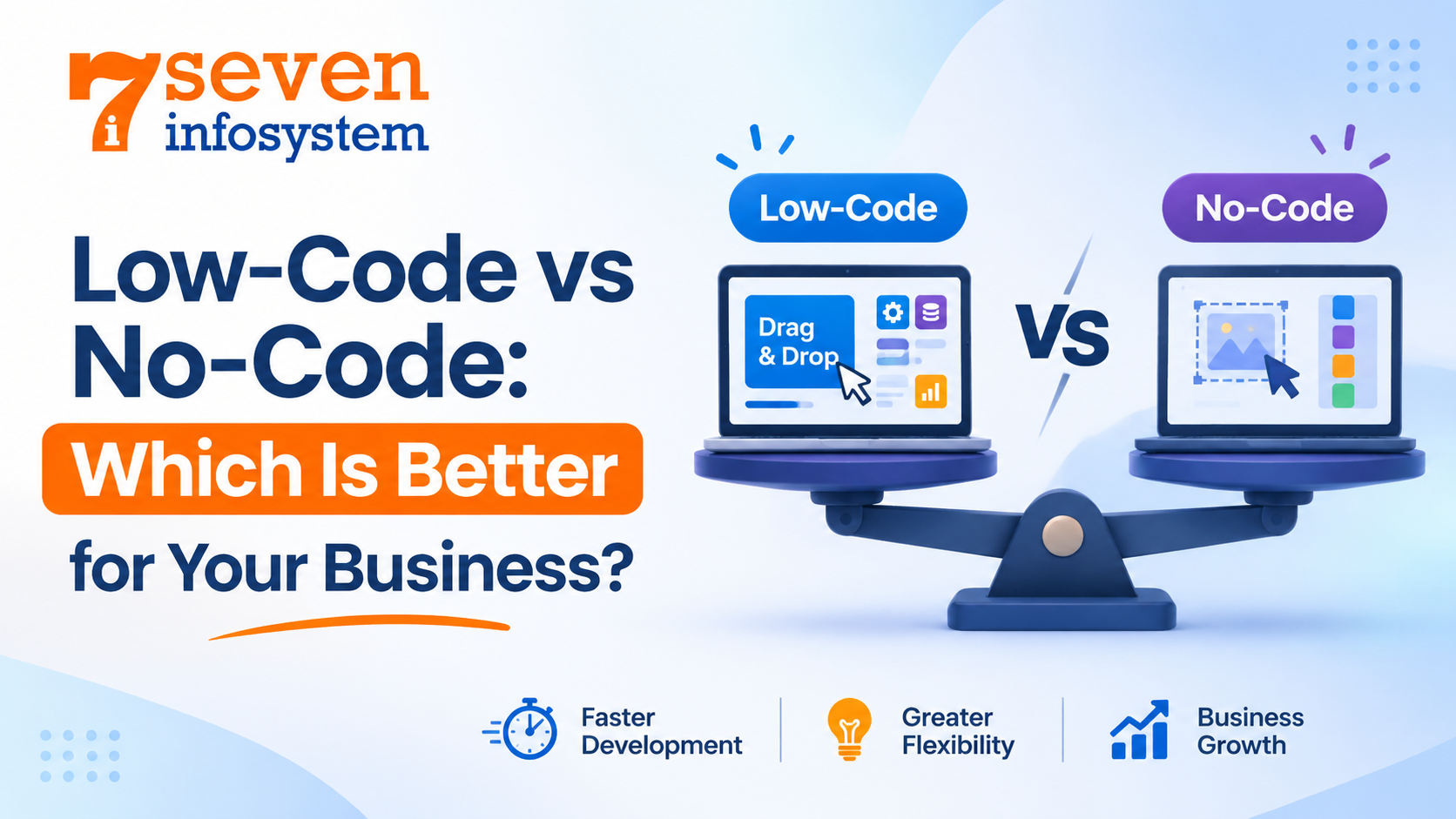
Low-Code vs No-Code: Which Is Better for Your Business?
Understand Low-Code vs No-Code development, compare key differences, benefits, and limitations, and choose the right solution for your business.
Introduction
Every company relies on software today. Systems for booking appointments, sales reports, customer portals, workflows of approvals – somewhere beyond all your routine operations, there is an application performing all the tasks. And the problem is how to build such an application without overloading your budget or spending a year just waiting for results.
And that's exactly why the question of Low-Code vs No-Code keeps rising on boards of directors and within teams of managers. Both solutions allow for faster software development at lower prices compared to regular software development practices, but they are not equal to one another and have evolved from experimental solutions to mainstream practices. And choosing incorrectly may cost you an inefficient application that will not be able to cope with your growing business.
In this guide, we'll provide explanations of what Low-Code and No-Code mean, how they are different from each other, and in what cases it's better to avoid using either solution and go straight to custom software development instead.
What Are Low-Code and No-Code Development?
It would be easier to understand the comparison once the nature of both concepts is known. These approaches are on a spectrum, from full hand coding to purely drag and drop tools.
Understanding Low-Code Development
Low-code development approach is a method of software construction that uses mostly visual tools such as drag and drop editors, pre-configured components, and template-based solutions. It allows developers to add code when it is required. In other words, this approach allows avoiding unnecessary routine and gives an opportunity to concentrate on the development itself.
The list of examples of low-code development platforms includes Microsoft Power Apps, OutSystems, Mendix, and Appian. These platforms are designed primarily for professionals and developers. They provide tools that allow accelerating routine tasks such as building forms, integrating databases, and configuring users' access rights. If a certain project requires implementing custom logic or specific integration, developers use code.
That is why low-code application development is a very common solution for internal business applications, customer portals, and business process management apps that require integration.
Understanding No-Code Development
However, no-code development goes further by eliminating any kind of coding. The entire development process is conducted via a visual interface, allowing any marketing manager, operations manager, or small business owner to develop an app without knowing how to code.
Popular no-code platforms can support businesses in building applications that complement their SaaS Application Development strategy. Platforms such as Bubble, Glide, Airtable, Webflow, and Zapier offer tools to create applications, manage data, and automate business workflows. For example, Glide allows users to turn spreadsheets into functional mobile applications within a few hours. Webflow helps businesses build professional websites without extensive front-end coding. Similarly, workflow automation tools such as Zapier and Make connect different applications and automate routine tasks, including sending follow-up emails. These solutions can help businesses simplify development processes and accelerate the delivery of SaaS products.
The downside of no-code application development is limited freedom. It is only possible to perform no-code application development under the restrictions of the chosen platform. If the particular function is not provided by the platform, it cannot be implemented in the application.
Where Traditional Software Development Fits In
Traditional Custom Software Development involves building software applications from scratch using programming languages, frameworks, and development tools. Although this approach may require a higher initial investment and more development time, it offers complete flexibility and control over the software's features, functionality, and design. Developers can create solutions tailored to specific business requirements without being restricted by predefined templates or platform limitations. This makes Custom Software Development an ideal choice for large-scale projects, complex applications, and businesses that need scalable, secure, and fully customized software solutions.
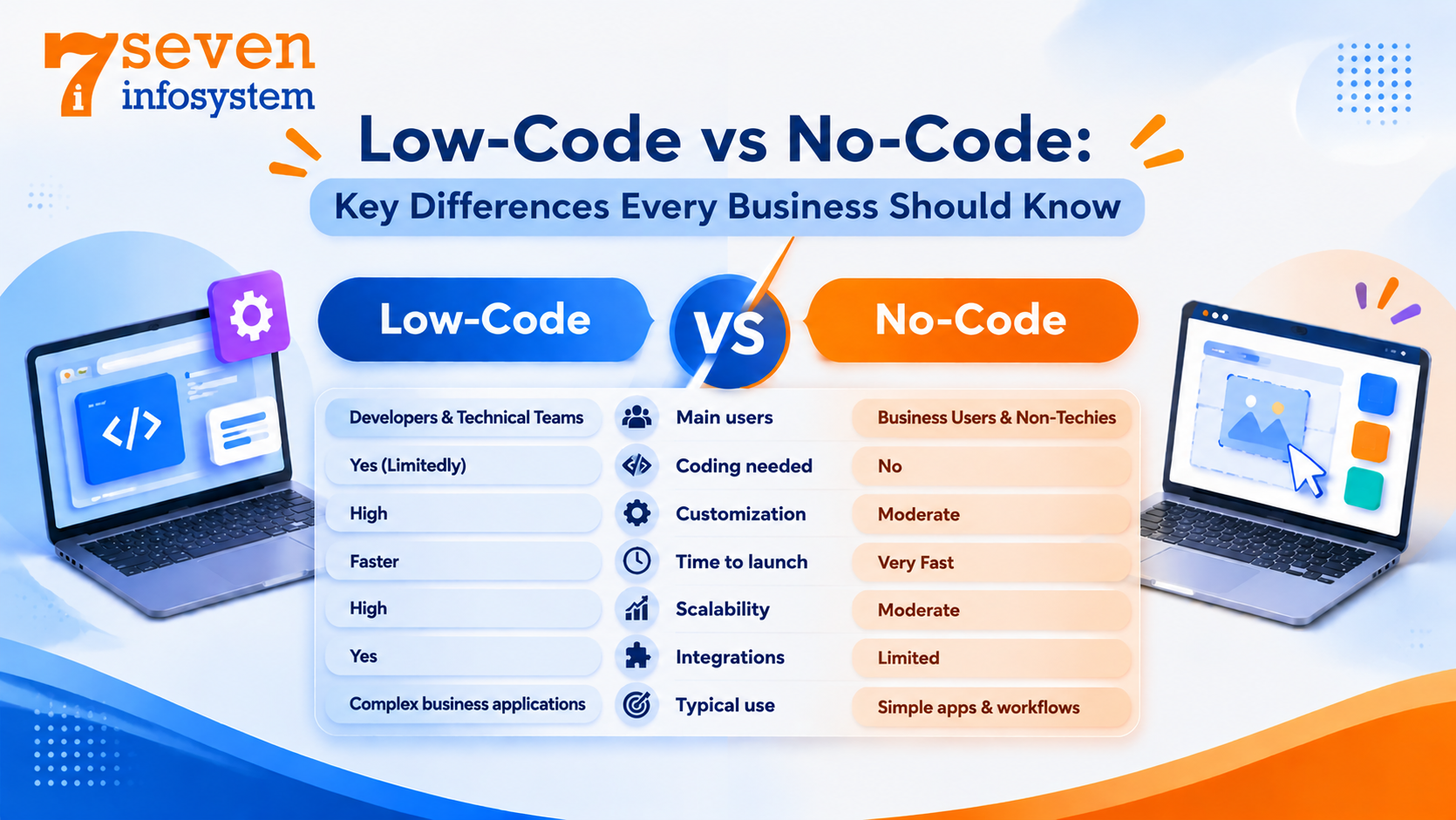
Low-Code vs No-Code: Key Differences Every Business Should Know
The biggest difference comes down to two things: who builds the app, and how far that app can stretch. Here's a quick side-by-side view before we dig into the details.
Factor | Low-Code | No-Code |
Main users | Developers and tech-savvy staff | Business users with no coding skills |
Coding needed | Some, for custom logic | None |
Customization | High | Limited to what the platform offers |
Time to launch | Weeks | Days |
Scalability | Handles enterprise-grade apps | Best for small to mid-size apps |
Integrations | Broad, including older in-house systems | Mostly prebuilt connectors |
Typical use | Core business apps, customer portals | Prototypes, simple tools, workflows |
Who Builds the App
The no-code tool is tailored for “citizen developers,” that is, people from other departments that have a problem understanding and solving on their own. The low-code technology is meant for developers who have a certain level of technical knowledge. A business analyst will work with visualization while the developer takes care of everything else.
Speed and Cost
Most times, no-code will beat low-code when it comes to speed since an internal application can be ready in a few days, and the subscriptions are affordable. However, low-code might take slightly longer since most of the projects are bigger, but still, it is much faster compared to coding from scratch. What should be remembered is that licensing costs per user on some of the platforms can pile up fast.
Scalability and Integration
It is in scalability and integration that low-code solutions outperform no-code. The majority of low-code application platforms include functionality that is needed by big enterprises, such as version control, test environment, role-based security, and integration capabilities with ERP and CRM systems. No-code platforms are great for one team or even one small company, but will suffer under traffic and volume pressure.
These features help businesses connect different software applications, manage large amounts of data, and maintain smooth operations as their teams and customer base grow. For example, a growing company can use a low-code platform to develop an internal management system that connects its sales, finance, inventory, and customer support departments. Developers can also add custom code and integrations when the business needs more advanced functionality.
Flexibility and Customization
In a low-code software development process, you have very little risk of getting stuck somewhere because you always have an option to write a script, make a call via an API, or even build a custom component. In no-code software solutions, however, it is quite the opposite; they are great where they should be great, but once you reach the boundaries of the platform, there's no way out.
Security and Governance
Both options have to do with the vendor infrastructure, which means that the security will depend on the platform vendor. Most often, low-code provides the IT department with more audit capabilities and controls. In turn, no-code is very easy to implement, which is great for speed but may become "shadow IT" since users will build applications outside the company's control.
To avoid these risks when choosing between Low-Code vs No-Code, businesses should establish clear development guidelines, assign user permissions, and regularly review application access. They should also select platforms that offer reliable data encryption, secure integrations, backup options, and compliance support to protect sensitive business information.
Ultimately, Low-Code vs No-Code depends on your organization's security requirements and IT capabilities. Low-code provides greater governance flexibility and control for businesses that need stronger IT oversight, while no-code offers convenience and simplicity for teams with basic development needs. Before making a decision, businesses should evaluate their data sensitivity, security requirements, and internal policies to choose the right development approach.
The Real Benefits of Each Approach
Each of the approaches works better under certain conditions. Understanding how each of the approaches pays off will help to make an informed decision.
Why Businesses Choose Low-Code
The advantages of the low-code development approach are much wider than just speed. This is what usually matters for businesses:
Higher speed without quality loss. The routine operations are handled by visual builders while developers can concentrate on the really important things.
Less stress for IT. Analysts are capable of doing simpler jobs, which helps to solve the problem of long development backlogs.
Flexibility. Any coding can be added to the app whenever it is needed so low-code app development starts from small apps and may turn into business systems.
Ease of maintenance. The updates, security, and hosting are sometimes provided by the platform.
Automation. The majority of low-code automation platforms offer creating workflows, approvals, and data synchronization along with the creation of apps.
Low-code development tools also offer a more efficient team collaboration because designers, analysts, and developers can work in the same interface. This is why low-code software solutions are perfect for medium-sized and big businesses.
Why Businesses Choose No-Code
The main advantage of no-code lies in its accessibility. The idea behind no-code is the ability of people who face certain problems to solve them by themselves, without waiting for their turn at the IT department.
Low threshold to entry. If you know how to work with spreadsheets, you can create a simple app.
Experimentation. Start-ups employ no-code technologies in order to experiment and implement a minimum viable product without significant investments.
Inexpensive for small companies. No-code subscription prices per month are often lower than those paid for hiring one developer.
Increased productivity. Automation of routine tasks such as entering data, setting reminders, creating reports, etc., saves you a lot of time each week.
For small businesses, freelance workers, or departments of companies which have certain needs, no-code might become a kind of magic wand.
When Custom Software Development Makes More Sense
There are always limitations to both low-code and no-code, and sometimes your project grows beyond their capabilities. Then custom software development comes into play. The advantages of custom software development are as follows:
Ownership. Being an owner of the code means you're free from risks of vendor price increase, changes, and possible shutdown.
Platform independence. Custom application development allows building a product precisely according to the needs of your business.
Optimized scalability and performance. Purposeful systems work better when dealing with high load.
Higher level of security control. You define how your data should be stored, encrypted, and accessed.
Competitive advantage. If the software becomes one of the distinguishing factors of your business, it should not rely on any templates available to your competitors.
The downside is the higher initial cost and time needed for the process. However, considering that custom software solutions may become a core of your business operations for several years, it often turns out to be a more profitable option.
Low-Code vs No-Code: How to Choose the Right Option for Your Business
There is no clear winner in this case – it all comes down to your needs, skills, and business growth forecast for the next three to five years. Take into account the following guidelines as your point of departure.
Go With No-Code If...
You need an app, a form, or a workflow to be done fast.
Your team doesn't have developers and doesn't have the budget to hire one.
You want to validate your business model without investing a lot.
This tool will be used by one team or a small number of users.
You just want to automate some routine processes in tools you're already using.
A local bakery managing pre-orders, a recruiter tracking candidates or a marketing team launching a landing page are all fits for No-Code.
Go With Low-Code If...
You have some staff or you can get help from developers when needed.
The app needs to work with systems you already have like your CRM or your ERP or your databases.
You think the app will have users or more features or become more complicated over time.
You need control over how things are done and more security and more attention from IT.
You need speed without sacrificing flexibility.
The logistics company developing a driver tracking portal or the insurance company implementing the claims digitization process would definitely benefit more from low-code.
Go With Custom Development If...
The software is really important for how you make money or how you help customers.
You have ways of doing things that no ready-made system can handle.
You think there will be a lot of people using the app or a lot of data moving through it or you need to follow strict rules.
You want to have control over the code you use and the data you store and the plans you make for the future.
Questions to Ask Before You Decide
Before subscribing to any particular platform or building an IT team, try answering the following questions:
What problem do we have, and how complicated is it?
Who will develop and maintain our app?
How many users will access it currently, and in two years from now?
With which systems should our app integrate?
What will happen with our application and data if something changes in terms of pricing or closing the platform?
What is our realistic budget for development, maintenance, and further updates?
The answers you come up with will usually point out the obvious way forward. In addition, it’s not uncommon for companies to combine different approaches: no-code for simple internal applications, low-code for departmental ones, and custom-built apps for their main platform.
Finding the Right Development Partner
Effective business application development requires more than a tool. In order to succeed, your business should know its processes and be ready for future expansion and development. That is why your choice of a development partner is as important as the methodology of development itself.
The best software development company won't try to impose only one development solution on you. It will analyze your objectives, budget, and current software solutions and provide an optimal one – from no-code, through low-code, to full customization of software according to your needs.
Conclusion
Where it concerns Low-Code vs No-Code, it is best to pick the option that works now but will also make sense a few years down the line. The no-code option is great for its ability to do things quickly and easily and allow people who are not technically savvy to work on it. Low-code, on the other hand, provides the flexibility and deeper integration options. Also, whenever the software is at the core of your operations, it is wise to go for the custom solution option.
Start by getting clear on your goals, your team’s skills and your long‑term plans. Then choose the approach or the mix of approaches that helps you move fast without boxing yourself in. If you’re unsure, a short conversation with a development partner can save you months of trial and error.
FAQs
1. What is the main difference between low-code and no-code?
Low-code allows some coding for customization and is aimed at developers, while no-code needs no coding at all and is built for business users.
2. Is low-code or no-code cheaper?
No-code is usually cheaper to start with, but low-code often delivers better value for larger or more complex apps over time.
3. Can no-code apps handle a growing business?
They work well for small teams and simple tasks, but many companies move to low-code or custom software as their needs expand.
4. Do I need developers to use low-code platforms?
Not always for basic tasks, but having developers on hand helps when you need custom features or complex integrations.
5. When should I choose custom software over low-code or no-code?
Choose custom software when the app is core to your business, needs unique features, or must meet strict security and performance demands.