CRM Software in 2026: Advanced Features, AI Automation, and Business Growth Strategies
Discover CRM software trends in 2026, advanced features, AI automation, and strategies to improve customer relationships and accelerate business growth.
Introduction
Imagine the time when a company surprised you in a positive way. Perhaps a customer service representative was already familiar with your past orders before you completed explaining the situation to him/her. Or a salesperson made an offer precisely when needed. It seemed personal and rather effortless. Under the hood, however, worked quite effectively as a CRM system.
Now imagine a situation when you had to explain your problem three times to three different people and wait several days to get a response. This is the result of customer data stored in various spreadsheets and email inboxes.
This difference in experiences explains why companies continue developing their approaches to working with customer information. In 2026, the development process has led to some major changes. Now artificial intelligence is responsible for writing emails, predicting closed deals and spotting dissatisfied customers. Automated processes take care of all the routine tasks that used to consume half of a sales rep's time.
What Is CRM Software and Why Does It Matter in 2026?
In essence, Customer Relationship Management Software is a unified repository of all the information related to both current clients and potential ones. It includes such information as customer names, contact details, past purchases, complaints, conversations, meeting notes, and so on, stored in one single shared system.
It seems quite evident, however, the advantages of this system are multiple and significant. There won't be situations when sales promises impossible things to the support department; marketing won't bother customers with non-related offers; and the management finally gets an opportunity to evaluate the situation in the pipeline realistically.
From Digital Address Book to Growth Engine
The initial CRM solutions were no more than sophisticated contact lists. The platforms of today are closer to becoming a company's nervous system. They integrate with email accounts, phone systems, websites, chat applications, accounting solutions, and e-commerce storefronts automatically gathering the necessary data without the need to copy it across different applications.
Why 2026 Is a Turning Point
The customers demand quick and personalized service on every communication channel while employees are supposed to do more with less. With the help of a contemporary CRM system, it becomes possible for employees to get the necessary context and have the mundane tasks done for them.
Must-Have CRM Software Features for Modern Businesses
Every single tool differs in capabilities and having a lot of CRM software features doesn't necessarily indicate that a certain piece of software fits your needs best. Nevertheless, here are some CRM software features that the majority of the growing companies would be using regularly.
A Single View of Every Customer
The base of any CRM is a full customer profile. Every email, call, purchase, complaint and website visit should show up on a timeline. When a customer calls, the person who answers can see the history within seconds rather than asking the customer to start from the beginning.
CRM Lead Management
Leads come from everywhere: website forms, social media, trade shows, referrals, and paid ads. Good CRM Lead Management captures them automatically, records where each one came from, and routes them to the right salesperson. It directs every single one to the correct salesperson. At the same time, it manages the status of every lead and makes sure that none of them fall into oblivion.
Pipeline and Deal Tracking
A visual sales pipeline shows every open deal, its value, its stage, and what needs to happen next. Sales managers can spot stalled deals early, and reps always know where to focus their energy.
CRM Data Analytics and Reporting
Data is only useful when you can actually understand it. CRM Data Analytics changes numbers into clear dashboards. These show things like conversion rates, sales cycles, revenue forecasts, campaign results and trends in customer satisfaction. Of guessing which marketing channel works best you can actually see which one is pulling in the most results.
Integrations With Your Existing Tools
A CRM shouldn't be an island. Look for easy connections with email, calendars, phone systems, accounting software, help desks, and messaging platforms. The fewer tools your team has to switch between, the more likely they are to keep the data up to date.
Mobile Access and Strong Security
Your field sales team and other remote workers need access to the CRM on mobile devices. That being said, customer information requires certain permissions, encryption, auditing, and compliance with privacy requirements.
How AI Is Reshaping Customer Relationship Management
One of the most significant changes over the last couple of years was the introduction of AI into daily CRM processes. AI in Customer Relationship Management is no longer a distant future feature. Today it is integrated into the majority of major platforms and rapidly becomes the norm.
What AI-Powered CRM Software Can Do
AI‑Powered CRM Software takes the information already sitting in your system. Put it to work. Some of the useful capabilities include:
Predictive lead scoring: Ranks prospects by how likely they are to buy, based on past patterns.
Deal forecasting: Estimates which opportunities will close and when, giving managers more reliable revenue projections.
Conversation summaries: Turns long call recordings and email threads into short, clear notes.
Smart writing help: Drafts follow-up emails, proposals, and replies that reps can review and send.
Churn alerts: Flags customers who show warning signs, such as fewer logins or more complaints, so your team can step in early.
Next-best-action suggestions: Recommends who to call, what to offer, and when to reach out.
AI Agents That Handle Routine Work
Another development comes in the form of AI agents who are able to perform routine tasks independently without help from humans. This could be anything from answering standard questions, qualifying calls, scheduling appointments or inputting data following a phone call. AI is not going to take over – it will just automate the simple stuff, freeing people up to handle the calls where people are really needed.
Keep People in the Loop
AI is very useful, but it is not foolproof. The recommendations made by AI depend on its data and sometimes it gets it wrong. The best approach is to treat AI as a capable assistant rather than a decision-maker. Let it draft, sort, and suggest, while your team reviews anything that affects pricing, contracts, or sensitive customer situations.
CRM Automation: Doing More Without Losing the Personal Touch
Whereas AI is the brain of today's CRM, automation is its hands. CRM Automation makes repetitive tasks that can be done according to rules happen automatically, reliably and accurately.
Everyday Examples of CRM Workflow Automation
CRM Workflow Automation runs on simple logic of "when this happens, then do that". Some examples include:
When a new lead submits a form, automatically assign him to the rep and send him a welcoming message.
When a deal reaches a certain stage – the proposal stage, say – set a reminder to contact the client in three days.
When an open support ticket gets overdue, notify the corresponding team leader.
When a customer's subscription is about to expire, trigger a renewal sequence.
When a purchase is completed, send a thank-you note and schedule a feedback request.
Each task saves a few minutes but across hundreds of customers those minutes add up to days every month.
Where Sales Automation Software Fits In
With automation comes the possibility of losing your humanity. Customers can recognize a standard template when they see one. To avoid looking like a robot, use actual information to fill your templates, schedule your messages properly, and always have a person take charge when things become too complicated or emotional.
Automation With a Human Feel
The risk with automation is sounding like a robot. Customers can tell when they're receiving a generic, mass-produced message. To avoid this, personalize templates with real details, space out messages sensibly, and make sure a person steps in whenever a conversation becomes complex or emotional.
Key Benefits of CRM Software for Teams and Customers
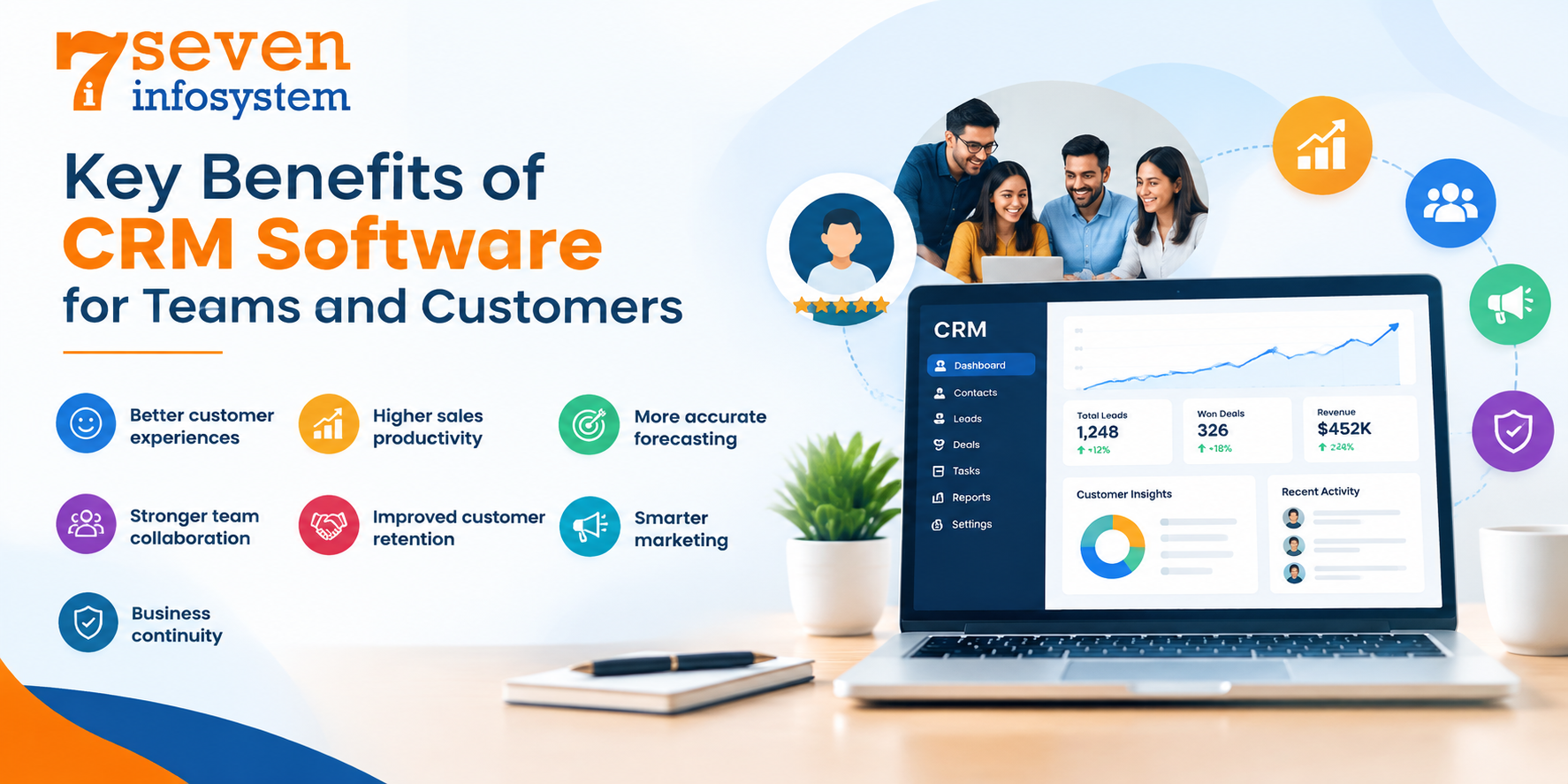
So what does all of this mean in life? The Benefits of CRM Software show up in every part of a business.
Better customer experiences: Every person on the team has all the details so customers don't have to tell their story over again.
Higher sales productivity: Less admin work means more time spent on actual selling.
More accurate forecasting: Leaders can plan budgets, hiring, and inventory with real numbers instead of hunches.
Stronger team collaboration: Sales, marketing, and support work from the same information.
Improved customer retention: Early warning signs help you fix problems before customers walk away.
Smarter marketing: Detailed customer segments make campaigns more relevant and less wasteful.
Business continuity: When an employee quits, all the customer relationships and notes remain with the organization.
One of the underestimated benefits of a CRM system is transparency – when everybody sees the true picture, all the decisions become much faster.
Using CRM Software for Business Growth
Buying a CRM doesn't grow a business on its own. Instead, growth depends on how effectively you use the right Business Software Solutions to manage customer relationships, streamline daily operations, and make data-driven decisions. Therefore, treating CRM as a business growth strategy rather than just a tool can make all the difference.
Customer Relationship Management Strategies That Work
Effective Customer Relationship Management Strategies will have some similarities:
Segment your customers: Group them by industry, size, buying behavior, or value, and tailor your approach to each group.
Focus on retention, not just acquisition: Keeping an existing customer is usually far cheaper than winning a new one. Use your CRM to plan regular check-ins, renewals, and loyalty offers.
Look for upsell and cross-sell opportunities: Purchase history often reveals what a customer is likely to need next.
Measure what matters: Track a few meaningful metrics, such as conversion rate, customer lifetime value, and churn, rather than drowning in dashboards.
Close the feedback loop: Record customer feedback in the CRM and share it with product and service teams.
Customer Experience Management Across Every Channel
Customer Experience Management refers to ensuring that all experiences of customers are well coordinated whether they are emailing, calling, using chat or social media or even visiting in person. A Customer Relationship Management system will ensure that all channels are integrated.
A dissatisfied customer who vents his frustrations online but later calls to raise the same concern doesn’t have to repeat himself. That builds up trust and trust builds up loyalty.
Off-the-Shelf or Custom CRM Software Development?
In most cases, businesses begin with an off-the-shelf solution. In many situations, that's everything they'll ever require from their CRM. Well-known cloud CRMs take no time to deploy, receive frequent updates, and are charged on a convenient per user basis. But they are created in such a way that they can serve thousands of companies, which makes them unable to reflect your business specifics.
When Custom CRM Software Development Makes Sense
Custom CRM Software Development can be considered when:
Your sales and/or support process is non-standard.
You need integration with the existing infrastructure, legacy applications, and industry solutions.
Per user license costs are growing rapidly due to your growth.
You have specific data ownership, hosting, and compliance needs.
You want to implement features which make you better than your competitors.
A custom-developed solution evolves along with your business and has only those capabilities which you need.
What to Expect From CRM Software Development
The development of CRM software typically goes through a series of steps: analysis of the workflow, design of the software, its phased development, migration of the current data into it, testing and training of the personnel. The phased method of development is preferable because it involves developing the most essential functions first and adding additional functionality once the system is being used by the people.
It will definitely take more time and money than purchasing a ready-made solution but you should be sure about the long-term benefits that come from custom development.
Working With a CRM Software Development Company
If you prefer to develop the software yourself, the choice of the partner will play the key role. The ideal CRM Software Development Company will first analyze your business processes prior to starting the development process. Find the company which has the necessary experience in your industry, the portfolio of successful projects, reliable communication, affordable prices and a proper strategy of data migration and system protection.
How to Choose the Right CRM Software
Given that there are numerous products on the market, the choice might be difficult. Steps on Choosing the Right CRM Software can help you make the decision.
Start With Your Goals and Problems
Don’t start evaluating any CRM product until you have listed all your problems and issues. What do you want to solve? Lost leads? Inaccurate forecasts? Frustrated customers because of inefficient support? Defining goals is crucial in assessing whether certain CRM features are really needed.
Involve the People Who Will Use It
Speak with your sales representatives, customer service agents and marketers. They know the pain points, and their agreement will decide whether the tool will be used. CRM software that no one uses will remain only a costly database.
Prioritize Ease of Use
An easy-to-use user interface is preferable to a lengthy list of features. The more clicks a representative should make to enter a note, the less likely it will happen.
Check Integrations and Scalability
Ensure that the platform works well with the technologies you currently use. But don’t stop there – will it scale to handle twice the number of people, or expansion into other markets?
Look Closely at AI and Automation Capabilities
Have the vendor present specific demonstrations of what their technology and automation can actually do, instead of mere presentations on slide decks. Assess the level of control you have over the automation process as well as its compliance with data privacy regulations.
Understand the True Cost
Do not simply consider the cost of monthly subscriptions. Consider the setup, migration, training, additional costs of add-ons, integration, and support services. The inexpensive platform that requires costly add-ons will be more expensive than it seems.
Take It for a Test Drive
Most software providers provide free trials and demos. Try the product out by using it with real data and processes for at least a week.
Conclusion
A CRM today is much more than a simple place to store phone numbers. By 2026, it will become the space for storing your customer insights, sales efforts, marketing insights, and support history in one place. Thanks to AI that will help predict and summarize, and automation that will automate routine tasks, people will have time to focus on things that really matter – building real relationships.
The important thing is to start with a plan. Know what problems you want to fix, pick a platform your team will actually like to use, make sure your data is clean and let technology help your people by taking their place. Whether you choose a made solution or build a system that is just for you, the right CRM can become one of the strongest bases for lasting growth.
Start with steps, check the results and keep getting better. Your customers will see the difference.
FAQs
1. What is CRM software used for?
It helps businesses manage customer data, track sales, automate routine tasks, and deliver more personal service across every channel.
2. How does AI improve a CRM system?
AI scores leads, forecasts sales, summarizes conversations, drafts emails, and flags customers who may be at risk of leaving.
3. Is CRM software only for large companies?
No. Small and mid-sized businesses benefit just as much, and many platforms offer affordable plans that scale as you grow.
4. Should I choose an off-the-shelf or custom CRM?
Off-the-shelf tools suit most businesses, while a custom system makes sense if you have unique workflows, complex integrations, or strict data needs.
5. How long does it take to set up a CRM?
A ready-made platform can be running within days, while a custom-built system may take a few weeks to several months, depending on its scope.