
Engineering
React.js Framework: A Complete Guide to Modern Frontend Development
Discover the React.js Framework, its key features, benefits, and how it helps developers build fast, interactive, and modern web applications.

Introduction
The React.js Framework has become one of the most popular technologies for building modern websites and interactive web applications. Today, popular platforms like Facebook, Instagram, Netflix, and Airbnb use React to create dynamic user interfaces that load quickly and deliver smooth user experiences. From large companies to small businesses, developers rely on the React.js Framework to build responsive, scalable, and user-friendly applications. For anyone working in Frontend Development, understanding React has evolved from a useful skill into an essential part of modern web development.
So is it really worth all the fuss or is it just another case of media hype? In this article, we will learn about the basics of React.js framework, the concepts on which it works, the reasons behind its popularity among developers and where it stands in the real world scenario.
What Is the React.js Framework?
React is an open-source JavaScript library that allows developers to create user interfaces mainly for single-page applications that don’t reload their content fully. Formally, React claims to be not a framework but a library because it concentrates on the view layer only, which is responsible for the content users see and interact with. In common speech, though, React is usually mentioned as the React.js Framework, and after adding the necessary routing and data management features to the process, it becomes a complete framework indeed.
As you can understand, the basic concept behind React is very simple. When creating a page, you divide it into a set of small independent parts, called components, such as a button, a navigation bar, a product card, or a search field. And then you just put these elements together like LEGO blocks.
A Quick Look at How React Started
React was developed by Jordan Walke, an engineer at Facebook. It was used for the News Feed for the first time in 2011 and released as open source in 2013. There was confusion among many programmers regarding React initially because of the combination of HTML-like elements and JavaScript in it.
Why React Became So Popular
Some factors played an important role in making React distinct from other previous technologies:
React makes it easier to build complicated user interfaces while maintaining consistent layouts and improving the overall UI/UX Design of web applications.
It was faster. The fact that it updates only what needs to be changed makes applications more responsive.
It has powerful support. Meta supports it and there is a large open-source community contributing to it.
Flexibility is another strength. You decide on the tools based on your needs.
Core Concepts That Power React
In order to understand why React is so efficient, one should take a look at the core concepts behind it. The user does not have to be an expert to do so, as all he or she needs is some general knowledge of React's language.
React JSX: Writing HTML Inside JavaScript
JSX stands for React JSX, which is a special syntax for writing HTML-like code within JavaScript files. Instead of using function calls to generate elements, one can just put something like <h1>Hello, world!</h1> into a component.
Initially, it seems rather strange since we were always taught to divide HTML and JavaScript into separate parts. In reality, the idea of React JSX lies in combining the logic and layout of a single UI element in one component. All the information regarding the purpose of the component and how it is going to look can be found in a single component.
The React Virtual DOM Explained Simply
DOM (Document Object Model) refers to the model created by the browser representing the web page. Direct modifications to it are time-consuming especially when many modifications occur at once. This is where React Virtual DOM is useful.
React keeps a copy of the web page in its memory. When there is any modification, say the user adds an item to his cart, React modifies this virtual copy of the page. After that, it compares this modified virtual copy with the earlier version, identifies what has changed, and then modifies only those parts of the real page. This is often referred to as reconciliation.
Think of how you edit a document. Instead of rewriting the entire document when there is a spelling mistake in it, you only modify the part that is incorrect. In fact, React does this for the web page in question.
React Functional Components
Components form the core foundation of any React application. In the past, most developers used JavaScript classes to create components. Functional React Components are what people use today.
A functional component is a normal JavaScript function that returns JSX code. This kind of component is more concise, readable, and testable than its predecessor. You could create a basic greeting component using just three or four lines of code. They're also very simple, so developers are encouraged to make each of them as small as possible.
React Props: Passing Data Between Components
Very seldom do components work in isolation. Components need to share data, and here comes React Props into play. The term stands for properties that allow data exchange between components. Specifically, the data is sent from a parent component to a child component just like arguments sent to a function.
Let's imagine we have a component called ProductCard. We don't create different cards for each product but create one and send the props like product name, cost and image. The single component is able to render different products through the props sent. Another important feature about props is that they are readonly. A child component uses the data but not modifies.
React Hooks: Adding Power to Functions
Until 2019, when you needed a component to retain state or react during its lifecycle, you had to rely on classes. However, Hooks introduced an alternative approach. In general terms, Hooks are special functions that allow React to empower functional components.
Some of the most popular hooks are:
useState – a hook that allows a component to manage and change its state. This may be some flag to indicate whether a menu is opened or closed.
useEffect – a hook that manages any possible side effects that may arise, for instance, fetching some data from the API or setting a timer.
useContext – a hook that enables components to read any data provided via context.
useMemo and useCallback enable avoiding extra calculations and rendering.
It is also possible to create your own custom hooks and use them whenever necessary. Hooks made React code cleaner and more consistent, and they're now a core part of how developers work.
React State Management
States are variables which keep changing over time and affect the application's user interface display, like input fields on forms, login statuses, and items in the shopping cart. Effective state management plays an important role in building scalable applications and delivering reliable Custom Software Development solutions for businesses.
While the native useState hook and Context API are sufficient for small applications, developers typically opt to use specialized state management libraries as the app gets bigger and has many components that require the same data. Some popular libraries are Redux Toolkit, Zustand, Jotai, and TanStack Query, which is particularly good at fetching data from servers. The selection of libraries varies according to the application. Developers commonly make the mistake of opting for an overly complex library in the early stage of development.
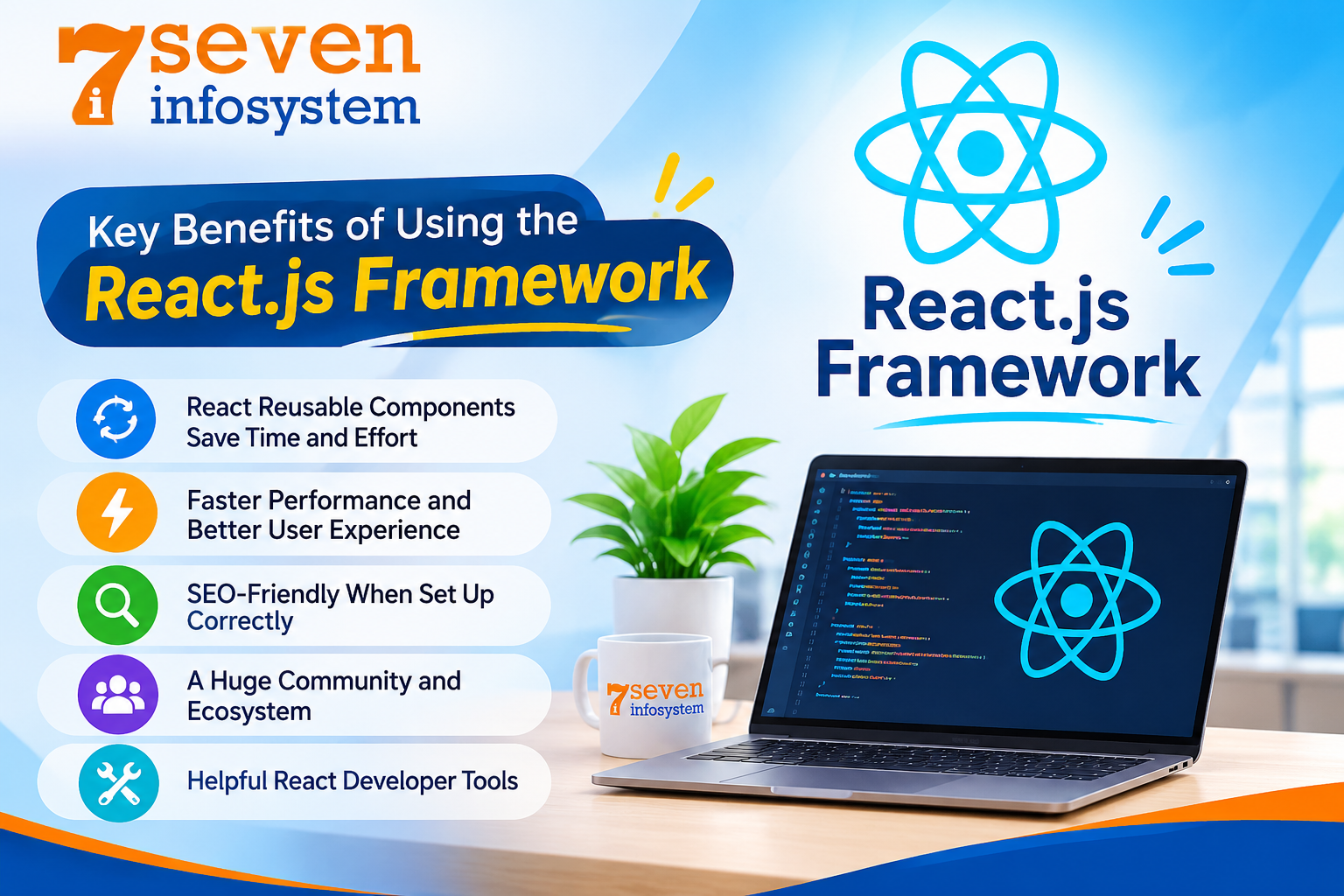
Key Benefits of Using the React.js Framework
After learning about the framework, it’s time to find out the reason why so many companies and developers opt for React. These React.js Benefits aren’t just technical, but have an impact on cost-efficiency, speed, and user experience.
React Reusable Components Save Time and Effort
The most valuable feature that makes React special is the capability to create React Reusable Components. After designing a button, form element, modal or card in the right way, you can reuse it throughout the entire application, or even use it in other applications.
This brings commercial benefits, too. The development process is faster, design becomes consistent and any change in one component will apply to all places where this particular component is used.
Faster Performance and Better User Experience
As a result of using the Virtual DOM, rendering and other optimizations, React apps are typically fast. Users do not need to wait for the full reloading of the web page when they are clicking somewhere. This improves user experience and makes a site behave similarly to native applications. In a situation when visitors abandon a slow site within seconds, speed is important.
SEO-Friendly When Set Up Correctly
The SEO issue was one that React once had in its earlier stages. Nowadays, there are frameworks such as Next.js that allow server-side rendering and static generation, resulting in fully pre-rendered pages that improve loading speed and visibility in searches.
A Huge Community and Ecosystem
React is used by millions of people around the world, and you are never going to be stuck with your problems since there are lots of useful solutions and libraries, ranging from charts to forms, animations, and authentication. Hiring React developers also becomes simpler due to their abundance.
Helpful React Developer Tools
Debugging is something that a developer does every single day, but React Developer Tools makes it much easier. The free browser extension is available for Chrome, Firefox, and Edge, and allows you to inspect the component tree, see current props and state of the app, and know exactly why the component re-rendered. Profiler tab allows you to see what components take the most resources.
Navigating Pages with React Router
Websites contain several pages, which include home page, about page, product page, contact page and many others. When we develop a React app in the single-page application model, no real loading of HTML pages happens as React Router handles all the navigations within the app.
React Router listens to URLs and renders the appropriate components based on each route. For example, when you go to /products route, the products component gets rendered and navigating to /contact route will render the contact component. This navigation happens without reloading of pages. React Router even provides support for nested layouts, dynamic routes such as /products/123, and restricted access pages.
Next.js does routing with its own file-based routing method, but the concept remains the same.
React Performance Optimization: Keeping Your App Fast
React is fast out of the box, but as your application scales up, minor inefficiencies will accumulate. React Performance Optimization will ensure your app stays fast, regardless of how much data and traffic you have. These are some techniques that could come in handy.
Avoid Unnecessary Re-Renders
Whenever there's a change in the component's state or props, it renders. In some cases, children components rerender themselves although nothing changes in them. There are React tools called memo, useMemo and useCallback that make React skip unnecessary processing. This can be done automatically by the new React Compiler.
Use Code Splitting and Lazy Loading
Your app does not have to be loaded into the browser all at once. Using React.lazy & Suspense, your application will be split up in pieces and loaded as soon as they are needed. For instance, if you have an admin dashboard, it would not need to be loaded while someone is only viewing your homepage.
Optimize Long Lists
Displaying many things at once makes any page slow. Libraries like react-window render just enough to show on the screen.
Keep State Close to Where It's Used
When the state is kept at the top of the application, the entire application will be re-rendered due to a minor change.
Measure Before You Optimize
Guessing is not productive. Use the Profiler and tools such as Lighthouse to measure before optimizing.
How the React.js Framework Fits into Custom Website Development
Website builders available out-of-the-box might be suitable for basic requirements, but many companies may need more than just an off-the-shelf solution; that is why they require Custom Website Development, and React is one of the best solutions for this task.
In particular, when developers use React, they are not limited by a set of static templates. With it, they can build custom layouts, integrate interactive elements, connect any back-end and services, and scale the website along with business growth. In combination with some frameworks (Next.js, for example), it can be used for creating fast websites, blogs, and even online stores.
React Web Application Development for Growing Businesses
While websites mainly share information with users, web applications let people interact with them, booking appointments, managing profiles and orders, or collaborating in various projects. This is why Web Application Development with React is highly beneficial for businesses that need interactive platforms, dynamic dashboards, online booking systems, and user-friendly applications.
For instance, it can be used for building dashboards that automatically display updated information, booking systems that show live availability, or SaaS with plenty of forms and filters on each screen.
Custom Web Application Development with React
For organizations that require a more specialized solution, Custom Web Application Development with React provides an optimal combination of quick development and maintainability. A standard custom web application development process involves:
Planning and designing - defining the requirements, screens and features.
Creation of a component library – creating reusable components for the design consistency.
Data integration - connecting the application to APIs, databases and cloud services.
Testing and deployment - identifying any issues ahead of time and deploying the application to quality hosting services.
Further development and updates - implementing additional functionality for growing business.
Thanks to the popularity of React, the app will be easy to maintain by multiple developers in the future.
When React Might Not Be the Right Fit
However, to be realistic, not everything can be done using React. A website with five pages and very little interactivity may be cheaper and quicker to implement using a static website or CMS-based solution such as WordPress. React also requires some learning from scratch because of its state management and setup specifics.
The Future of React in Modern Frontend Development
React is constantly changing itself. In this way, Server Components help render the interface on the server and reduce the size of the code that is sent to the browser, and React Compiler helps minimize the manual optimization process. All these innovations reflect the way React copes with Modern Frontend Development challenges.
Conclusion
It has all the components that help React secure its place among the best options available for developing websites and web applications. The component-based approach keeps the code clean, the Virtual DOM guarantees speed, and the hooks, props and routing make sure that the developer has all the necessary components to develop an interactive project. It is complemented by the great community of users, good tools and regular updates.
The use of React allows the company to reduce the time of development, have a consistent design and the ability to develop the app according to the company's needs. React also provides developers with valuable skills for building web applications and exploring Mobile App Development solutions using technologies such as React Native. If the person plans to develop an app and needs a modern solution, React should be considered.
FAQs
1. Is React a framework or a library?
React is officially a JavaScript library focused on building user interfaces. Many people call it a framework because, with tools like Next.js and React Router, it handles full application development.
2. Is React good for SEO?
Yes, when set up properly. Using server-side rendering or static generation through frameworks like Next.js helps search engines read and rank your pages easily.
3. How long does it take to learn React?
If you already know HTML, CSS and JavaScript basics, you can learn React's fundamentals in a few weeks. Becoming confident with larger projects usually takes a few months of practice.
4. What kinds of projects is React best suited for?
React works best for interactive websites, single-page apps, dashboards, e-commerce stores and SaaS platforms. Very simple static sites may not need it.
5. Can React be used for mobile apps?
Yes. React Native uses the same core ideas to build apps for iOS and Android, so React skills carry over well to mobile development.