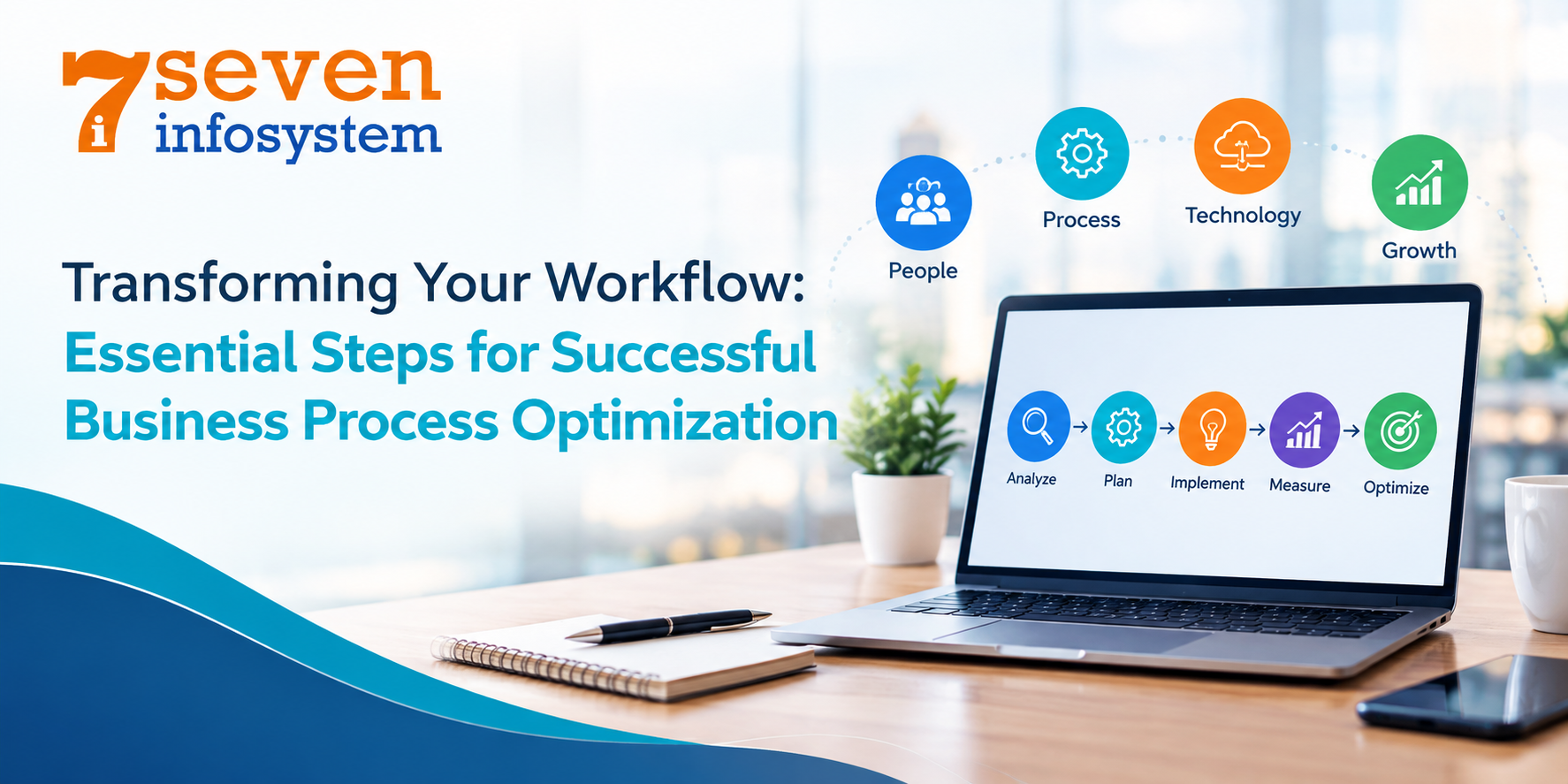
Transforming Your Workflow: Essential Steps for Successful Business Process Optimization
Learn how Business Process Optimization can streamline workflows, automate tasks, and improve business efficiency.
Introduction
Organizations need clearly defined processes to manage sales, customer service, accounting, inventory, operations, and employee activities. When these processes work efficiently, employees can complete their tasks faster and with fewer errors. Complicated or inefficient workflows can create repetitive work, cause delays, and slow down daily operations. This is where Business Process Optimization becomes important.
Business Process Optimization involves analyzing existing processes, identifying weaknesses, and improving individual steps and the overall workflow. The goal is not simply to add more software or automation. Instead, businesses should create practical processes that align with their goals, support employees, and improve operational efficiency.
For growing companies, an optimized workflow can also create a strong foundation for digital transformation. Businesses can combine improved processes with automation, integrated systems, and other useful technologies to streamline operations and support sustainable growth.
What Is Business Process Optimization?
Business Process Optimization means looking at business processes and making them faster, steadier and more useful. A business process can involve workers, teams and tools.
For instance a sales process starts when a potential buyer sends an enquiry and then moves through follow‑up, quotation, approval order handling and invoicing.
Problems happen when staff type the data into several systems, wait for hand‑to‑hand approvals or rely too much on spreadsheets and email. These tasks can add waits and raise the chance of mistakes. Business process optimization helps companies spot these problems and reshape workflows when needed.
Why Business Process Optimization Matters
As businesses grow their processes tend to get more complex. New employees, customers, products, departments and software systems can slowly add up. Create operational problems.
For example a small business might start by handling customer enquiries using spreadsheets. As the number of enquiries grows staff may have to search through many different files just to find customer details. This can lead to missed follow-ups and inconsistent service. Managers might also struggle to see how the sales pipeline is doing.
These kinds of challenges can happen in companies too across different teams and functions.
Business process optimization helps companies spot these issues early. It allows them to make changes to workflows before small inefficiencies turn into problems. By improving how things are done businesses can stay more organized. Run more smoothly.
Reduce Repetitive Work
Employees may take up a lot of their time performing redundant actions, such as data entry, report writing, routine communication, and data transfer between systems. These routine functions could take away from the time needed for customer support, making decisions, and other essential tasks.
Workflow automation for business could perform suitable routines for employees to attend to functions that require human intervention.
Improve Process Consistency
Having a process in writing will provide employees with a uniform procedure to perform critical tasks. This could lead to consistency between different teams and easier workflow monitoring.
Process consistency could also make it easier to train employees, as new employees would have an understanding of the process involved.
Improve Business Visibility
Connected systems help managers see what is happening in the business clearly. By having data scattered in different spreadsheets and apps companies can bring key information together in one place.
For example, an integrated system can connect customer, sales, inventory, and operational information, making it easier for teams to access the information they need.
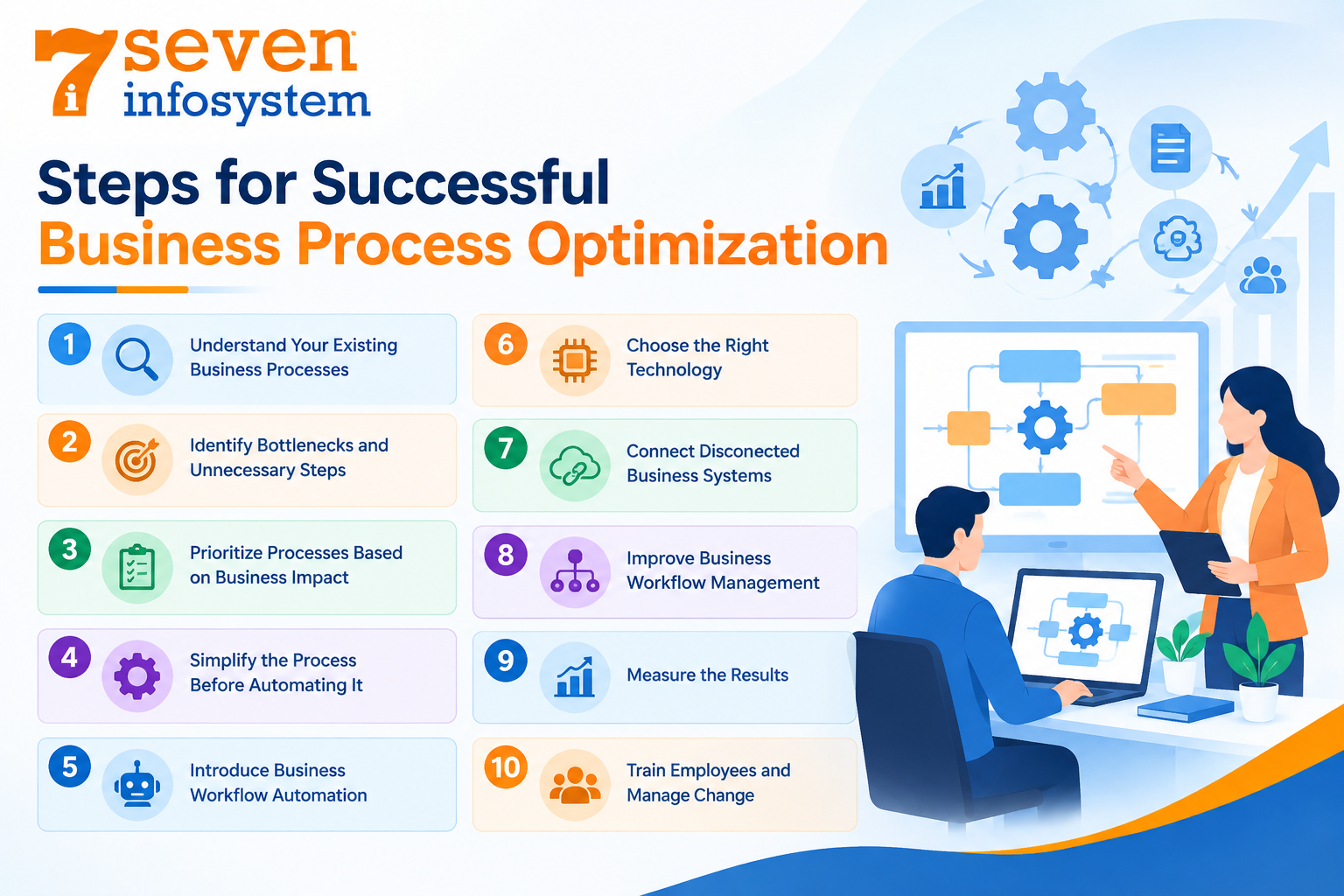
Step 1: Understand Your Existing Business Processes
The first step in Business Process Optimization is to understand how the work is being done.
Businesses should not start by picking the software. First, businesses should map out the current process flow and understand how their employees carry out their work.
Employees who do such work on a daily basis might give you insights into problems that are not even stated in process documents. Questions should be asked such as where does the process start? Who does what at each phase? What information is needed and where does the information go? What steps need approval?
Also, it is important to find out where the hold-ups are and what kinds of tasks employees keep repeating. Seven Infosystem takes an approach where the software development process is discovery-driven.
Step 2: Identify Bottlenecks and Unnecessary Steps
After writing down the workflow the next step is to find areas that slow the process.
A bottleneck can happen when a task relies on a person, system or approval that cannot keep up with the rest of the workflow. For example an employee may create a customer quotation in minutes. The quotation may stay pending for several days because of a manual approval process.
Duplicate data entry is another problem. An employee may type customer information into a spreadsheet. Then type the same information into a CRM system. When this happens again and again the business loses time and the chance of inconsistent information grows.
These problems may seem minor on their own. They can have a big impact when they happen across hundreds or thousands of transactions.
Step 3: Prioritize Processes Based on Business Impact
Not every business process needs to be changed at the time.
Trying to improve every workflow at the time can create unnecessary disruption. Instead businesses should spot processes that have the impact on customers, employees, revenue, costs or overall efficiency.
A useful starting question is: Which process is creating the problem, for the business today?
One company may find that manual reporting takes hours each week. Another may find that slow lead follow-ups are hurting customer relationships.
The right priority depends on the business. Start with processes where improvements can give benefits.
Step 4: Simplify the Process Before Automating It
One of the important principles in business process improvement is to simplify a workflow before automating it.
Automating a process that's not efficient does not make it better. It only makes the same inefficient process happen faster. Companies should first look at approvals, repeated data entry and duplicate tasks.
Once these are removed or made better the rest of the workflow can be checked for automation. For example a company might have five approval steps, for a request.
Before creating an automated system leadership should ask if all five approvals are really needed.
Step 5: Introduce Business Workflow Automation
With a simplified process in place, companies may use Business Workflow Automation in order to streamline tasks.
In business workflow automation, a software tool performs certain tasks, information and notifications according to certain stages of a business process.
As an illustration, if a customer contacts a company with an inquiry, a business workflow will create a new customer record and will route an inquiry to the right salesperson, notify someone about it, schedule a follow-up action, change the status of the inquiry and record the action.
A particular workflow differs depending on the needs of the company.
Business workflow should help employees to perform better at their jobs and should not make processes more complicated.
Automating Business Processes
Automation should support employees. Make processes easier to manage. It should not introduce complexity. Automating Business Processes is something many companies are doing today. Many routine activities can benefit from automation when they follow rules. Lead assignment, customer notifications, approval requests, invoice reminders, employee attendance workflows, inventory alerts, report generation, task assignments and status updates can all be considered for automation. The best opportunities usually involve activities that follow clearly defined rules.
Step 6: Choose the Right Technology
Technology should fit into the business process and not make people work according to it.
Depending on its needs, a company may choose CRM software, ERP software, workflow software, custom-made software, cloud-based software, or integrated business software.
Seven Infosystem offers custom software development, web application development, and mobile application development. It also offers its portfolio of ERP, CRM, and HRMS solutions that cater to varying needs.
Workflow Automation Software
Workflow automation software allows companies to control task management, approvals, notifications, and process stages using pre-established rules.
Such a piece of software may be of benefit when there is a need for coordinating activities of several employees/departments.
However, companies have to assess their needs before choosing a particular solution. Various factors such as user amount, process complexity, existing systems, integration needs, security needs, reports, and support have to be taken into account.
Step 7: Connect Disconnected Business Systems
Disconnected systems may cause data silos and extra manual processing.
For instance, a sales team will use one software application, while the inventory team will use another. The finance department may have its own records while customer service uses spreadsheet files.
This would mean that people will have to move data manually from one place to another. It would cause extra steps, data inconsistencies, and time delays.
Connected systems would help to avoid any unnecessary moving of data.
ERP and CRM are typical examples of connected systems. The ERP system connects departments like finance, stock, purchase, manufacturing, and sales. The CRM system helps to manage leads, customer interactions, sales efforts, and follow ups.
Step 8: Improve Business Workflow Management
Effective Business Workflow Management needs ownership and responsibilities. I think employees must know what they need to do when they need to finish it, what information they need and who will handle the stage. Clear responsibilities can lower confusion. Help employees see where a workflow can be better.
Documentation is also very important. I believe a written process gives employees a reference and helps new team members learn how work should be done.
Step 9: Measure the Results
Business process optimization must produce results. Before changing a workflow businesses must decide which metrics matter. Depending on the process these metrics could be processing time, manual steps, error rates, response times, customer satisfaction, employee productivity, transaction costs, completed tasks or approval times.
The purpose of measurement is not to create reporting. It is to see whether the process has really improved.
Step 10: Train Employees and Manage Change
The process, even if it is perfectly designed, can fail because employees cannot comprehend and accept the new process.
Sometimes, people can have trouble accepting new processes because they do not know why the process needs to be changed. It is important for businesses to communicate the rationale behind the change and how the new process will operate.
The training should be based on actual activities in the business and not simply on software functionality.
Business Process Optimization for Small Businesses
Business Process Management for Small Businesses does not require a technology investment.
Small businesses can start by improving workflows that cause daily difficulties. Customer onboarding, approval processes, customer records, reporting and routine notifications are examples of areas that could be made better.
Business Process Optimization may not need an enterprise platform. We find that this Business Process Optimization may only need a solution that cuts down repetitive work and gives employees easier access to important information.
The Role of Business Process Management
There is a definite connection between Business Process Management and process optimization; however, these two concepts cannot be treated as identical.
Business Process Management includes the management and optimization of business processes at all stages of their life cycle. This means analyzing processes, measuring their performance, finding any defects, optimizing workflow, and reviewing outcomes.
Therefore, business process optimization can be an integral part of the overall process management.
Optimization of key business processes must be carried out on a regular basis.
Business Efficiency Software: What Should You Look For?
Business efficiency software is usually taken into account when businesses want to automate their processes and increase productivity.
But features are not everything in this case. The key issue is how efficient this software is going to help the company in solving its workflow issues.
Ease of Use
It should be easy for employees to comprehend and operate this software. An overly complicated interface can bring more issues than solutions.
Integration
This software should be integrated with other important systems of the business where it is required. Integration will help prevent duplicate data entry and manual transfer.
Scalability
This software should be scalable for any potential growth of users, transactions, data, and further requirements. This aspect is especially important for businesses that have plans for significant development.
Security
Business data should be secured by proper security measures. All security needs should be taken into account before implementation of any new system.
When Custom Software May Make Sense
Standard software can work well for common business requirements. However, some organizations have workflows that are too specific for generic applications.
Custom software can be useful when a business needs functionality designed around its own processes.
For example, a manufacturer may need a platform that connects production planning, inventory, quality checks, sales, and dispatch. A service company may need software that connects bookings, customer management, employee scheduling, payments, and reporting.
Custom development should not automatically be the first choice. It becomes more relevant when the business requirements justify the additional flexibility.
How a Software Development Company Can Support Process Optimization
A software development company can contribute more than coding when a project involves workflow transformation.
The development team should first understand the business problem and process requirements before proposing a technical solution.
A structured approach can begin with discovery and process mapping. The team can then analyze requirements, design workflows, create UI/UX concepts, develop the solution, test it, deploy it, and provide ongoing monitoring and support.
Seven Infosystem describes its delivery process through four stages: Discover, Plan, Design, and Develop. Its discovery stage focuses on understanding how work moves through the business, while planning covers areas such as scope, architecture, milestones, and commercials.
Why Choose a Software Development Company in Rajkot?
For businesses searching for a software development company in Rajkot being close by can help make communication smoother discussions about needs collaboration easier over time.
It is important to look at skills from past experience, in similar projects how development is done, security measures, ability to grow how well the team communicates and support after the project is done.
A good technology partner should truly understand the business problem. Also know what technical solutions will work best.
Common Mistakes to Avoid
Automating Everything
Not every task needs automation. Businesses should automate tasks where technology can make a noticeable difference.
Ignoring Employees
Employees know the problems that happen every day. Their ideas can show issues that are not written down in papers.
Choosing Software Before Understanding the Problem
The business need should be the thing. Technology should be picked after the company knows what it wants to improve.
Changing Too Much at Once
Big changes in processes can cause problems. A step, by step plan can help with fixing things and getting workers to accept the changes.
A Practical Roadmap for Business Process Optimization
Map the Current Workflow
First, identify how the process is carried out currently. You need to have clear insight into the process participants, involved processes, system resources, approvals, etc.
Analyze Process Gaps
Try to find possible bottlenecks, inefficiencies, unnecessary work, delays and lack of communication in the current process that may affect its performance.
Simplify Unnecessary Steps
Eliminate all activities that are not creating added value. Streamlining the process prior to automation will help to achieve better results.
Integrate Business Systems
Implement integrations where required to transfer information from one business system to another.
Continue Improving
Requirements evolve, and needs of the business change. Review your most critical workflows on a regular basis.
Conclusion
Business Process Optimization is not simply about using more software.
It begins with understanding how work happens, identifying inefficiencies, simplifying workflows, and applying technology where it creates meaningful value.
Businesses can improve their operations through workflow automation, better process management, connected systems, and purpose-built software. The right approach depends on the company's size, industry, processes, technology environment, and long-term goals.
For growing businesses, optimization can also create a stronger foundation for digital transformation. When processes are clear and systems support them effectively, teams can spend less time managing unnecessary work and more time focusing on customers and business growth.
The most effective transformation often starts with a simple question: What process is slowing your business down today, and how can you make it work better?
FAQs
1. What is Business Process Optimization?
Business Process Optimization is the practice of reviewing and improving business workflows to make them more efficient, consistent, and effective. It can involve process simplification, automation, integration, and performance measurement.
2. What is the difference between process optimization and process automation?
Process optimization focuses on improving the overall workflow. Process automation uses software to perform suitable tasks automatically. Automation is often one part of a broader optimization strategy.
3. How can businesses identify processes that need improvement?
Businesses can look for repetitive work, duplicate data entry, long approval times, communication gaps, frequent errors, and disconnected systems. Employee feedback can also help identify inefficient processes.
4. Can small businesses benefit from Business Process Optimization?
Yes. Small businesses can improve processes such as customer onboarding, sales follow-ups, reporting, approvals, and internal communication. They can begin with simple improvements and introduce more technology as they grow.
5. When should a business consider workflow automation software?
Businesses should consider it when employees regularly perform repetitive, rule-based tasks that follow predictable steps. The process should first be reviewed and simplified before automation is introduced.